


Sprunki Phase 41 – Mix Weird Beats and Wild Sounds Online
Play Sprunki Phase 41 instantly in your browser - No download required!
Share Sprunki Phase 41 with Friends!
Discover More Sprunki Phase 41
2048
Sprunki Phase 11
Sprunki 2048
Parasite (Incredibox Mod)
Sprunksters Episode 2: The Cave

Sprunki Wenda Treatment 3.0
Musical Melons – MelonBox V1
Dandy’s World Pyramixed Edition

Territorial.io
It's Not My Neighbor: Labubu

Chibi Unicorn Dress Up

Tina - Pop Star

Sprunki Ice Mod - Aqua
Incredibox - Sprunki Pokemon
Sprunkibox-Sky’s MASSACRE
Sprunki Simon
Bite-Size Beats
Sprunki Anti-Shifted But Alive
Sprunki Wenda’s Dimension
Sprunki Retake (New Human Version) with Bonus
Sprunki Regretful 5.0
Sprunsi V1001
Sprunki.MSI Phase 4

Five Nights At Freddy's 2
Sprunki Anti-Shifted: Phase 3
Sprunki Shifted – Skiyak’s Take
Bat Smash

Sprunki Sorrowful Demises

Santa's Secret Kiss

I'm Not A Robot
Explore Other Exciting Games
2048
Sprunki Phase 11
Sprunki 2048
Parasite (Incredibox Mod)
Sprunksters Episode 2: The Cave
Sprunki Wenda Treatment 3.0
Musical Melons – MelonBox V1
Dandy’s World Pyramixed Edition
Territorial.io
It's Not My Neighbor: Labubu
What Is Sprunki Phase 41?
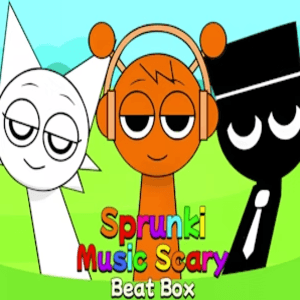
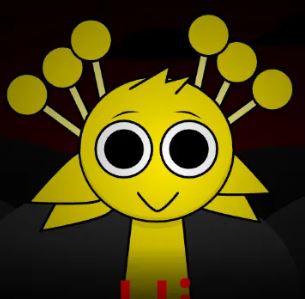
Sprunki Phase 41 is a fan-made music sandbox built on the Sprunki formula, where you drop quirky characters onto the screen to trigger looping sounds, vocals, and beats. Each phase tweaks the roster and the vibe, and Phase 41 leans into weirder, glitchier combinations that reward experimentation over perfection. Think of it as a beat lab that fits in a browser tab.
How to Play Sprunki Phase 41
Pick Your Cast
Browse the available characters and listen to what each one adds to the mix. Some drop drums, some drop melodies, others just throw in weird noise.
Drag Characters Onto the Stage
Drop them onto the active slots to start their loops playing in sync with the rest of your track.
Build Layers Carefully
Stack sounds gradually. Too many bass-heavy characters at once will muddy the mix fast.
Swap and Test Combos
Remove or replace characters mid-track to hear how the rhythm shifts. Some Phase 41 combos unlock hidden effects.
Reset When It Breaks
Hit the clear button and start fresh once your track sounds like a blender full of marbles.
Features of Sprunki Phase 41
New Phase 41 Roster
A fresh batch of characters with unique loops, vocals, and percussion samples you won't find in earlier phases.
Real-Time Layering
Every character you add joins the mix instantly, so you can hear your track evolve with each move.
Browser-Based Sandbox
No installs, no logins, no clutter. Open the page and start arranging sounds within seconds.
Hidden Combos
Certain character pairings trigger surprise animations or bonus audio layers, rewarding trial and error.
Save and Share
Capture your mixes and send them to friends so they can hear whatever beautiful disaster you cooked up.
Sprunki Phase 41 FAQ
Is Sprunki Phase 41 free to play?
Yes. It runs in your browser without any payment or signup wall.
Do I need to download anything?
No. The whole game loads directly from the website like a YouTube video.
What makes Phase 41 different from earlier Sprunki phases?
Each phase adds new characters and sound libraries, and Phase 41 leans into glitchier, more experimental loops.
Can I play Sprunki Phase 41 on a phone?
It works on mobile browsers, though a bigger screen makes spotting those hidden combos easier.
Do I need musical skill to enjoy it?
Not really. Drop characters, see what sounds good, and tweak from there. Trial and error is the whole point.
Is Sprunki Phase 41 safe for school or work?
The unblocked version is built to run through common network filters, but always check your local rules first.
Can I save my mixes?
Yes, you can record your session and share the link or download the audio file once you're happy with it.
How do hidden combos work?
Mix specific character combinations and watch for visual cues or sudden new audio layers popping in.
Is this an official Sprunki release?
No. Sprunki Phase 41 is a community-made mod built on top of the original Sprunki formula.
Will more phases come out after 41?
Probably. The community keeps pushing new phases with fresh sound packs and surprises.
Does it work offline?
No. Since the audio assets stream in, you'll need an internet connection to load and play.
Why Play Sprunki Phase 41?
Make Weird Music Fast
You don't need plugins or a DAW. Just drag, drop, and you'll have a track in under a minute.
Reward Curiosity
Phase 41's hidden combos encourage you to break your own mixes and try dumb things on purpose.
Perfect for Short Sessions
Five minutes is enough to build something fun, which makes it ideal for breaks between longer games.
Zero Friction
No accounts, no installs, no popups begging for your email. Just open and play.
Shareable Results
Every chaotic mix you make can be sent to a friend, so the laughs keep going after you close the tab.
Sprunki Phase 41 Tricks
Start with a Beat
Drop one or two percussion characters first so you have a rhythmic foundation before adding melodic layers. Jumping straight into vocals usually ends in muddy chaos.
💡Keep your first layer to drums only, then build up over a minute.
Listen Before You Lock In
Hover over characters to preview their loops before committing them to a slot. Some sound great solo and awful stacked.
💡If a character clashes solo, it'll clash twice as hard in the mix.
Chase the Hidden Combos
Phase 41 hides bonus effects behind specific pairings, and most players stumble into them by swapping characters in and out at random.
💡Swap one character at a time so you know exactly which swap triggered the effect.
Use the Clear Button Often
A cluttered track with seven bass characters and zero melody sounds like a broken washing machine. Reset early and often to keep things tight.
💡Treat the clear button as a songwriting tool, not a defeat.
No Download Needed
Sprunki Phase 41 runs straight from your browser, so there's nothing to install and nothing to update. Pop open the page, wait a couple of seconds for the sounds to load, and you're already arranging loops. Your saves live online, which means you can hop back in from any device.