


Sprunki Phase 16 – A Darker, Weirder Beat Experiment
Play Sprunki Phase 16 instantly in your browser - No download required!
Share Sprunki Phase 16 with Friends!
Discover More Sprunki Phase 16
2048
Sprunki Phase 11
Sprunki 2048
Parasite (Incredibox Mod)
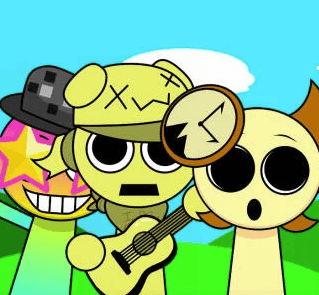
Sprunksters Episode 2: The Cave
Sprunki Wenda Treatment 3.0
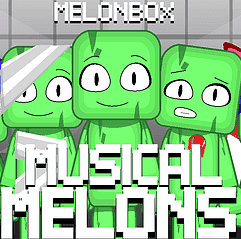
Musical Melons – MelonBox V1
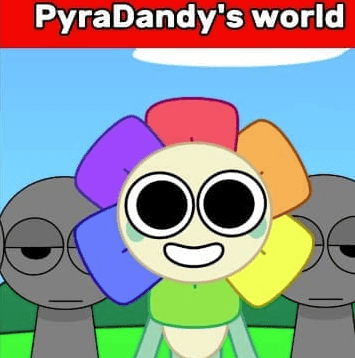
Dandy’s World Pyramixed Edition

Territorial.io
It's Not My Neighbor: Labubu

Chibi Unicorn Dress Up

Tina - Pop Star

Sprunki Ice Mod - Aqua
Incredibox - Sprunki Pokemon
Sprunkibox-Sky’s MASSACRE
Sprunki Simon
Bite-Size Beats
Sprunki Anti-Shifted But Alive
Sprunki Wenda’s Dimension
Sprunki Retake (New Human Version) with Bonus
Sprunki Regretful 5.0
Sprunsi V1001
Sprunki.MSI Phase 4
Five Nights At Freddy's 2
Sprunki Anti-Shifted: Phase 3
Sprunki Shifted – Skiyak’s Take
Bat Smash
Sprunki Sorrowful Demises

Santa's Secret Kiss

I'm Not A Robot
Explore Other Exciting Games
2048
Sprunki Phase 11
Sprunki 2048
Parasite (Incredibox Mod)
Sprunksters Episode 2: The Cave
Sprunki Wenda Treatment 3.0
Musical Melons – MelonBox V1
Dandy’s World Pyramixed Edition
Territorial.io
It's Not My Neighbor: Labubu
What Is Sprunki Phase 16?
Sprunki Phase 16 is the moodier sibling in the Sprunki music-mixing series, trading bright cartoon loops for shadowy atmospheres and experimental sound design. It keeps the drag-drop rhythm loop core but layers in eerie tones, slower tempos, and stranger textures. Think of it as the series putting on a black hoodie and heading into the studio at midnight.
How to Play Sprunki Phase 16
Pick Your Sound Characters
Browse the lineup of beat, melody, and effect icons sitting on the screen. Each one brings its own dark, glitchy, or atmospheric flavor.
Drag Them Onto the Stage
Drop characters into the active slots to add them to your mix. More slots filled usually means a fuller, weirder track.
Layer and Adjust
Stack different characters to see how they mesh. Some combos hum together nicely, others clash on purpose, and that's part of the fun.
Swap to Find the Groove
Swap characters in and out until the rhythm clicks. The game rewards weird combinations, so don't play it safe.
Sit With the Atmosphere
This phase leans moody, so let a loop play out for a bit before swapping. Some of the best moments come from slow builds.
Features of Sprunki Phase 16
Darker Visual Tone
The icons and backgrounds shift toward shadowy, atmospheric palettes that match the heavier sound design.
Experimental Sound Layers
Expect glitchy textures, reverb-heavy vocals, and bass lines that creep instead of bounce.
Familiar Drag-Drop Mixing
The classic Sprunki mix mechanic stays intact, so jumping in feels instant if you've played earlier phases.
Mood-Driven Loops
Loops are tuned for slower, moodier rhythms rather than high-energy bops. Great for late-night sessions.
Weird Combo Rewards
Clashing sounds often create the most interesting results, pushing you toward experimentation over safe picks.
Sprunki Phase 16 FAQs
Is Sprunki Phase 16 free?
Yep, it runs free in your browser with no signup wall in the way.
Do I need to install anything?
Nope, nothing to download. Just load the page and start mixing.
Is it unblocked at school or work?
Since it's a browser-based music game, it usually works on most networks. If your filters are heavy, try a standard unblocked route.
How is Phase 16 different from earlier phases?
Earlier phases lean brighter and more cartoonish. Phase 16 goes moodier, slower, and way more atmospheric.
Do I need to know music theory?
Not at all. You just drag, drop, and listen. Your ears do the rest.
Can I save my mixes?
Recording depends on your browser setup, but most players just jam live without needing a save feature.
Is there a mobile version?
It works in mobile browsers, though a bigger screen makes dragging icons around easier.
What kind of music does it make?
Dark, glitchy, ambient-leaning beats with eerie textures and moody loops.
Is this mod scary?
Can beginners enjoy it?
Absolutely. The drag-drop system is dead simple, and the weirder sounds actually make experimentation more fun.
How long are typical sessions?
Most players mess around for 10-30 minutes before stumbling onto a combo they want to keep building.
Does it have multiplayer?
No built-in multiplayer. It's a solo jam session, though sharing mixes with friends is half the fun.
Why Play Sprunki Phase 16
A Darker Sprunki Twist
If the usual phases feel too sunny, this one leans into shadows and atmosphere in the best way.
Experimental Sound Lab
Weird combinations actually pay off here, so mixing feels like messing around in a studio.
Late-Night Vibe
Moody loops and slower tempos make it perfect for headphones and a quiet room.
Instant In-Browser Jam
No installs, no logins. Just load and start layering sounds in seconds.
Easy to Replay
Tons of characters mean tons of combos, and finding the right mix keeps you poking around for a while.
Sprunki Phase 16 Tricks
Start With a Slow Base
Drop in a low, rumbling bass character first to set the moody tone before adding anything else.
💡Mute everything else and let the bass loop alone for a few seconds to lock in the vibe.
Use Reverb-Heavy Vocals
Vocal characters with echo or reverb effects shine in Phase 16's atmospheric mix.
💡Pair two vocal icons together for layered haunting harmonies.
Embrace Clashing Sounds
Combos that sound wrong on paper often turn into the most interesting loops here.
💡Try pairing a glitchy effect with a soft pad and just listen.
Keep a Pad Running
Sustained atmospheric pads give your rhythm and melody layers something to float over.
💡Add the pad early and never remove it, even when swapping other characters.
No Download Needed
Sprunki Phase 16 runs straight in your browser, so there's nothing to install or update. Just open the page, drag your first character onto the stage, and you're mixing darker beats within seconds. Works on desktop and mobile browsers alike.